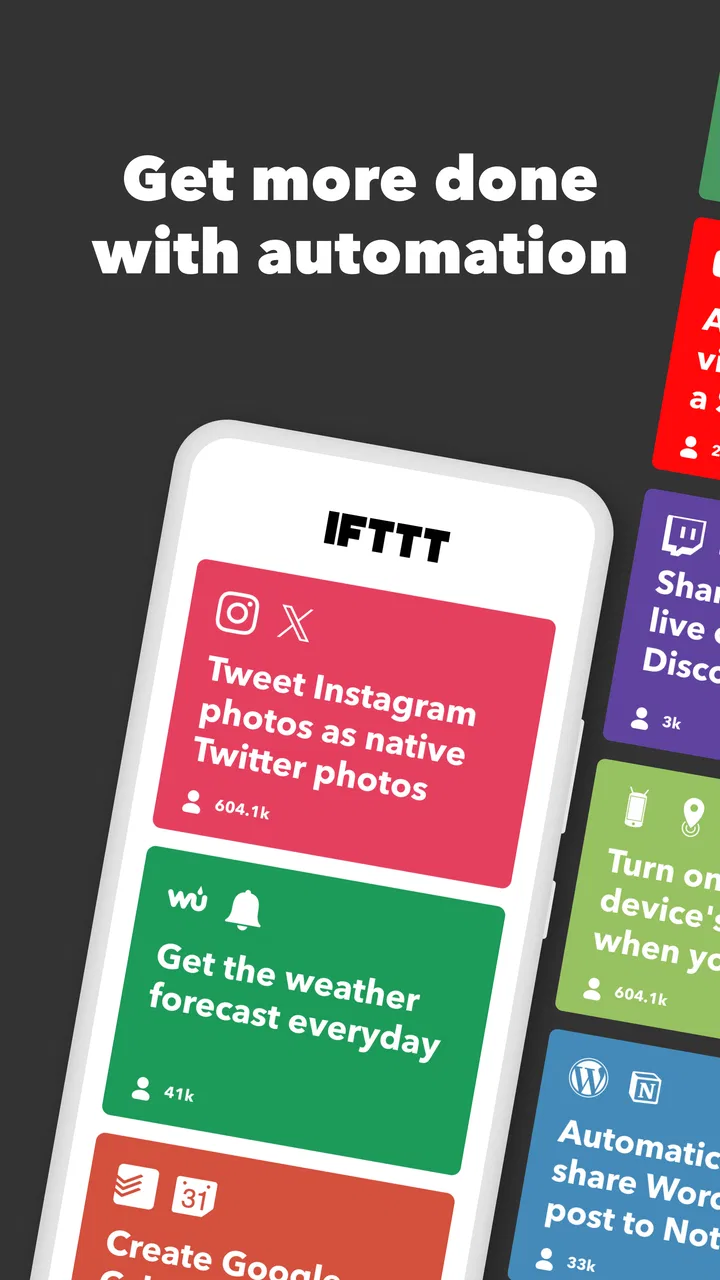
IFTTT - Automate work and home
- 3.2
- Rating
- 10.00M
- Installs
- Free
- Price

 Analysis by App-foxy
I use IFTTT as a bridge between services that normally sit in separate apps. Its basic idea is simple: when one event happens, another action follows automatically. That can mean reacting to a smart-home trigger, organizing information, or connecting a work service to a personal routine. The appeal is not that it replaces every productivity tool, but that it removes small repeated steps that quietly consume attention.
Developed by IFTTT, Inc, this free productivity app is aimed at Android users who want automation without building a full technical system. It is suitable for Everyone, supports Android 8.0 and later, and has been available since April 24, 2014. The app has reached over 10 million installs, while its average rating is 3.2 from around 187 thousand ratings and roughly 16 thousand written reviews. Those numbers suggest a useful but uneven experience: plenty of people find value in it, yet it is not an effortless solution for every device or workflow.
How IFTTT fits into everyday automation
I focus here on the small setup snags that can make an automation feel unreliable, and on how I would narrow them down before changing anything. The key is to check the trigger and the action separately, so a missed result points toward a specific part of the workflow rather than prompting a full rebuild.
You May Also Like

 Blood Strike: 2.5 Anniversary
Blood Strike’s Loadouts Turn Every Drop Into a Tactical Gamble
A close look at Blood Strike’s custom loadouts: how fast access to signature weapons reshapes its battle royale rhythm, rewards preparation, and narrows the gap between fights.

 Pandora - Music & Podcasts
Pandora’s Music Is Easy to Start, but Harder to Recover
Pandora’s strength is its low-effort path from a seed to a station. Its weak spot is how much confidence it asks you to place in connection, setup, and quiet recovery.

 8 Ball Pool
 Is Built on Rivalries, Rematches, and Routine
A close look at the rivalries, rematches, shared routines, and unanswered safety questions that turn a quick pool match into a persistent mobile community.

 Samsung Music
’s Quiet Strength Is Playing What You Already Own
Its reach comes less from spectacle than from dependable access to a personal library. That simplicity is both the app’s strongest retention engine and its ceiling.

 AccuWeather: Weather Radar
AccuWeather Review: A Quick, Clear Forecast for Everyday Decisions
For everyday plans, the best forecast is the one you can understand quickly. AccuWeather makes rain timing, radar, and local conditions easy to act on, with a few trade-offs.

 Hill Climb Racing
Why Hill Climb Racing Still Turns Crashes Into One More Run
A tiny car, a bumpy hill and one more upgrade: Hill Climb Racing keeps resurfacing because its simple chaos makes every near-miss feel personal.
More From Our News Desk
View All News


The basic idea is easier than the larger ecosystem
The central workflow is built around a trigger and an action. I choose something that starts the automation, then select what should happen afterward. This makes the app approachable because I can think in ordinary situations rather than technical scripts: if a particular event occurs, carry out a related task.
That mental model is especially helpful when I am trying to connect home routines with phone activity. Instead of checking several apps manually, I can look for an existing automation that matches the situation. The strongest part of the experience is the discovery process. IFTTT presents automation ideas in a way that encourages experimentation, so I can begin with a small task rather than designing an entire system from scratch.
There is also an important distinction between an automation that looks clever and one that genuinely saves time. I found the app most useful when the trigger is dependable, the result is easy to verify, and the task happens often enough to justify setting it up. A novelty automation may be fun once, but a reliable daily shortcut is where the practical value appears.
Where the free access makes sense
The app itself is free to download and use at a basic level, which makes it reasonable to test before spending anything. That matters because automation is personal. A workflow that saves time for one person may feel unnecessary to another, depending on the services already in use and the devices at home.
Paid purchases are available inside the app, with listed items ranging from $3.99 to $169.99 each. I would not treat that range as a reason to buy immediately. The sensible approach is to start with the free experience, identify one or two automations that solve a real problem, and only then decide whether additional paid access is worthwhile. The free entry point is valuable because it lets me judge compatibility and reliability before committing money.
The pricing also means the word “free” needs some context. Free access is useful for exploring the service, but a person with a large number of routines or more demanding automation needs may eventually encounter reasons to consider an in-app purchase. Since the most expensive option is far beyond an impulse purchase, I would evaluate the benefit in terms of repeated time saved rather than treating it like a small add-on.
A practical morning example
Imagine that I start work by checking the same information across several places. I could use an automation to bring a relevant event into a service I already check, or to connect a home action with a phone-based routine. The benefit is not dramatic on any single morning. The benefit comes from removing the same tiny decision and manual step repeatedly.
For this kind of scenario, I recommend building the routine in stages. First, choose one trigger and one result. Then run it for several days and see whether it fires at the right time, produces the expected result, and avoids unwanted repetitions. Only after that would I add another action. This staged approach is one of the best ways to avoid creating a complicated chain that becomes difficult to understand when something goes wrong.
Why it differs from ordinary productivity apps
Traditional productivity apps usually keep me inside one system: a task list manages tasks, a calendar manages events, and a notes app stores information. IFTTT works across those boundaries. It is less a destination for organizing everything and more a connector that helps separate services cooperate.
That difference is its main strength and its main weakness. If I want a polished task manager, a focused calendar, or a dedicated smart-home control panel, a specialized app will usually feel clearer. If my problem is the gap between two services, IFTTT has a more relevant role. It can reduce the need to copy information or remember to perform a follow-up action, but it does not automatically improve the design of the services being connected.
I also would not compare it directly with advanced automation platforms as though they serve exactly the same audience. Technical users may prefer tools that offer deeper logic, more detailed conditions, or greater control over complex sequences. IFTTT is more attractive when I want a visual, approachable starting point and do not want to maintain a custom automation system.
Small workflows reveal the real value
One non-obvious lesson is that the best automation is often deliberately boring. I get more value from a routine that handles a repetitive handoff than from one that performs an impressive but occasional trick. For example, connecting a recurring information source to a place I already monitor can reduce the number of times I open separate apps.
A second useful insight is to treat every trigger as a possible source of noise. If an event happens frequently, the resulting action can become distracting instead of helpful. Before enabling a routine, I ask whether I need every occurrence, whether a delay would be acceptable, and whether the output will remain useful after a week. This is particularly important for notifications and other actions that can interrupt concentration.
A third insight concerns troubleshooting. When an automation fails, I do not immediately assume the whole app is unreliable. I first separate the trigger from the action: did the event occur in the way the automation expects, and did the destination service accept the requested result? Testing one simple connection at a time makes the problem easier to locate than changing several parts at once.
Trade-offs that affect daily use
Automation introduces a layer between me and the services I connect. That can be convenient, but it also means there is another point to understand when the expected result does not appear. A manual action is often easier to diagnose because I can see exactly what I did. An automated action may depend on timing, service availability, account connections, and the precise interpretation of the trigger.
That is why I would avoid using a single automation as the only safeguard for something important. For low-risk routines, a missed action is an annoyance. For a critical reminder or a home-related event, I prefer a backup method or a direct control in the original service. IFTTT is best used to reduce friction, not to remove all responsibility for checking important outcomes.
Another trade-off is simplicity versus flexibility. The approachable trigger-and-action format makes it quick to begin, but more complicated requirements can expose its limits. If I need several branches, detailed exceptions, or a carefully controlled sequence, I may spend more time working around the structure than I would with a tool designed for advanced automation.
The rating of 3.2 is consistent with that mixed picture. The concept is compelling, but the experience depends heavily on what I am connecting and how much control I expect. A person who only needs a straightforward shortcut may be satisfied, while someone expecting every service to behave identically could become frustrated.
Who is likely to get the most value
I think the app is a good fit for people who repeatedly move information or actions between Android, home devices, and work-related services. It is also useful for curious users who enjoy testing practical shortcuts but do not want to learn programming first. The free starting point makes that experimentation relatively low-risk.
It can be especially worthwhile for someone who notices the same interruption several times a week: copying a detail, checking a second service, remembering a follow-up, or manually repeating a home action. The key question is not whether automation sounds impressive. It is whether the same task happens often enough, and reliably enough, that removing it improves the day.
I would be more cautious if I rarely use connected services, prefer to keep every task manual, or need strict guarantees. I would also look elsewhere if my priority is a single, highly polished productivity workspace rather than connections between different platforms. In those cases, a dedicated calendar, task manager, or device-specific automation tool may be easier to operate and troubleshoot.
What to check before considering a purchase
Before paying for anything, I would make a short list of the exact routines I want. Then I would verify that the relevant services and devices appear in the app and that the basic workflow behaves as expected. This prevents a common mistake: paying for broader automation before confirming that the particular connection matters to me.
I would also measure value in time and attention, not in the number of automations created. If one routine removes a repeated chore and remains dependable, it may be more valuable than a collection of experimental shortcuts. Conversely, if I keep adjusting triggers, dismissing unwanted results, or checking whether the automation worked, the routine may be costing more attention than it saves.
The in-app purchase range makes this evaluation particularly important. A lower-priced item may be easy to justify for a specific need, but the higher end deserves a much stronger reason. I would only consider a substantial purchase after using the free access long enough to understand my actual pattern of use and after confirming that the added capability addresses a recurring problem rather than curiosity.
My recommendation after using it
My view is that IFTTT is worth trying when your problem is repetition between services, not when you simply want another general-purpose productivity app. Its free access gives Android users a practical way to explore connected workflows, and the app can make small daily routines feel noticeably lighter when the trigger and action are well chosen.
I would recommend it to a friend who has a clear automation idea and is willing to test it patiently. I would explain that the first successful shortcut is only the beginning: the real test is whether it remains useful, quiet, and dependable over time. Start with low-risk tasks, add complexity slowly, and keep a manual alternative for anything important.
I would skip it if I expected flawless compatibility across every service, advanced conditional logic, or a complete replacement for dedicated productivity tools. The moderate average rating reflects why expectations matter here. IFTTT can be a valuable connector, but it is not magic, and the quality of the result depends on the services involved.
Overall, I see it as a practical free experiment with a paid path that should be approached carefully. For the right user, one well-designed automation can repay the setup effort many times through small daily savings. For someone without a repeated cross-service problem, the app may remain an interesting idea rather than an essential tool. That makes the buy-or-skip decision straightforward: try the free version first, keep only routines that genuinely reduce friction, and pay only when the benefit is already visible in your own routine.
FAQs for IFTTT - Automate work and home
01What is IFTTT - Automate work and home, and what can it do?
IFTTT, short for “If This Then That,” is an automation platform that connects different apps, online services, smart-home devices, and phone features. You create or enable Applets based on triggers and actions—for example, saving Instagram photos to cloud storage, receiving weather alerts, or turning on compatible lights when you arrive home. Its usefulness depends on the services and devices you already use.
02Is IFTTT free to use, or do I need a subscription?
IFTTT offers a free plan, but it is designed for lighter use and may limit the number or complexity of Applets you can run. Some advanced features, such as multiple actions in one automation, faster update intervals, and access to certain premium Applets or services, may require a paid plan. Check the current plan details in the app before subscribing, since pricing and limits can change.
03Does IFTTT work with smart-home devices and popular apps?
IFTTT supports many well-known services, including selected smart lights, cameras, speakers, thermostats, social networks, calendars, cloud platforms, and productivity tools. However, compatibility is not universal, and available features can vary by country, device model, operating system, and manufacturer account. Before downloading, search the service directory to confirm that your specific devices and apps are supported.
04Is IFTTT safe, and what permissions does it require?
IFTTT can be safe when used carefully, but it may need permission to access connected accounts, device controls, location data, notifications, contacts, or phone functions depending on the Applets you activate. Review each permission and connected service before approving it, use strong passwords and two-factor authentication, and disable Applets you no longer need. Avoid automations that could create security or privacy risks.
05Can IFTTT run automations reliably in the background?
IFTTT automations generally run through cloud services, but they are not always instantaneous. Some triggers are checked periodically, while others depend on the connected service sending an immediate event. Phone battery restrictions, revoked permissions, internet outages, API changes, and unavailable devices can also interrupt an Applet. For important home-security or safety tasks, use a dedicated system rather than relying on IFTTT alone.
Pros
- Connects many smart-home services in one place.
- Simple applets automate repetitive tasks without coding.
- Supports location-based and time-based triggers.
- Useful widgets provide quick access to common automations.
- Works across Android
- iOS
- and web-connected services.
Cons
- Many advanced applets require a paid Pro subscription.
- Some integrations have limited triggers or available actions.
- Automations can fail when a connected service is offline.
- Complex workflows may be difficult to troubleshoot.
- Frequent background activity may affect battery life.

IFTTT - Automate work and home
Gallery